Features
- Dynamically scale button size to fit button text regardless of font, size and style.
- Extensive options for buttons look, feel, color and style. All buttons are natively
rendered and scale to small and large sizes cleanly.
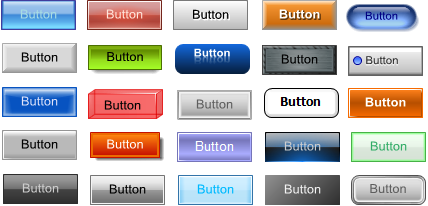
- Custom shape support including rectangle, ellipse / circle and rounded rectangle.
Rounded rectangle supports rounding percentage to control the amount of rounding.
Ellipse can be used for both oval and round shapes.

- Select any button color and colors are created based on your selection to maintain
the selected button style effect.

- Automatically generates buttons on demand if they don't exist or references previously
generated images if they do.
- Control over button caching on both the client (browser) and server side with simple
properties
- Automatically generate buttons for various button states including normal, hover,
clicked and disabled states.
- Automatic code generation creates the required CSS and JavaScript code needed for
the button transitions to work.
- Clean down-level browser support ensures buttons are fully functional even with
browsers that don't have JavaScript enabled. Even mouseover effects are maintained
in a webforms environment without JavaScript support.
- Simple drop in replacement for default buttons enables you to quickly and easily
replace framework buttons with the power and enhanced visuals of .netBUTTON buttons.
Controls are include for both ASP.NET (webforms) usage and desktop (winforms) usage.
- Flexible image output formats including PNG with transparency support and JPG.
- Supports image text smoothing (anti-aliasing) for generated button text
- ideal for language conversions and flexible site design.
- Create buttons from database information or dynamic data
- Save on costly and time consuming image design and development
- Control image scaling to allow for different sized buttons automatically with sophisticated
sizing options including automatic button to text sizing and text to button sizing.
- Supports minimum and maximum sizes to control auto sizing bounds
- Set text font, size and style along with color, background color
- Full Visual Studio 2005 design-time control. See and customize the button image
as it will appear at run time in your designer environment.
- Works with visual studio or directly with notepad or your favorite HTML editor!
- Extensive samples are included for both winforms and webforms (ASP.NET)
- Two great controls for one low price! All licenses include both winforms and webforms
versions for consistent interfaces across your desktop and web based applications.